-
Announcement
-

Simtropolis Returns! 05/26/2026
See here for details about our site recovery efforts.
-
Search the Community
Showing results for tags 'wall'.
Found 23 results
-
Hi, I'm looking for JENXPARIS Quais de Seine seawalls; I lost all my plugins and I'm trying to recollect them
-
Version 1.2.0
1,216 Downloads
This plugin offers Lots of “Walls on Slopes” in 6 sets of textures: Sandstone , Granite , Brick , Concrete , Rubble and Retaining (see attached illustrations). Each set has around 35 pieces, it depends... of my mood. The textures adapt to the different shapes that the Terrain tiles can take. Lots are of several types: Straight – 1 to 3 variations, Intermediate straight (without wall, parapet or fence), Stairs - (pedestrian Transit Enable) simple and double tile ramp from MAS71, Diagonal Top - 1 to 4 variations of the ground, Diagonal Bottom - 1 to 4 var' + L|R ends of wall pieces, Inner corner, Outer corner (rare that one... isn’t it!) - with L|R ends of wall, Filler - to «close» a space or extend the parapet on the flat (or not) tiles, Transition - joining two (textures) walls, Underbridge - from the left/right for 3 terrain heights: 8, 15 and 22 m. I would like to mention here the contribution of @rsc204 which offered the small, but no less essential, Prop which made it possible to manufacture the «underbridges» quickly and easily. For your pleasure .. and mine! Speaking of Bridge, the Sandstone, Concrete and Retaining sets are «floodable», meaning that several pieces of this set can be placed on submerged Terrain tiles (Maxis water). Speaking of water, diagonal pieces (for all sets) come with either a grassy/sidewalk half or «empty»! That is to say that part of it is transparent and allows the Terrain to be seen. This implies, in a standard game situation, the appearance of the «water bug» after using the Pipes tool... Unless of course you use the solution proposed here: .. Transparent Texture (Water Bug) Fix DLL .. or .. Simtropolis <coris-partial-water-bug-fix> Topic .. You have been warned ! Installation Unzip the file to your Plugins\ directory. The 6 Sets will be in Scoty\scoty Walls Sets\ If you do not wish to keep all 6 sets, take care to always keep: MGB_UBprop_ScotyWalls.dat Use Scoty Walls sets appear in the Park\Embankment\ submenu. (without Submenu-DLL: in the "Energy - Electricity Grid" menu). The Sets and their Lots in (almost) the order in which I present them above. Each Lot has an orange arrow indicating the top of it. For so-called “Filler” Lots, this arrow indicates the interior of the zone they define (as opposed to the parapet, barrier, etc.). Like many textures of this type, the deformation beyond 12-15 m of elevation is quite strong, but the "Concrete" and "retaining" walls should support more stretching. Yes, yes, I'm a big lazy guy and a bit teasing, and you will have to rack your brains to make certain connections between textures. The ZIP contains an illustrated guide, which also shows the transition textures. Dependencies Japanese Walls Set (only JPN_Walls_Props_One-Design_mas71.dat or JPN_Walls_Props_All-Design_mas71.dat) Nams Props Pack Vol 2 BSC VIP Girafe Flora Pack .. (Daisy, Rowan, Feathers, Beeches, Bushes, Sparaxis) BSC Common Dependencies Pack .. (Grfe hedge, BSC MEGA Props - CP Vol01) SHK Parking Pack NekoPropSet03 >>> Temporary Link (02/2026) WMP Mega Props vol. 01 - Misc General Props SPOT v. 1.2 .. Submenus DLL ... and optionally Scoty Submenus & Icons Collection Many thanks to the authors of the dependencies above. -
Version 1.0.0
500 Downloads
(First published on 25 December 2021 at SC4D LEX and SimCityKurier) In 2007 the Japanese BATter Mas71 created a simple asymmetrical stair, which, though being really nice, unfortunately lacks a mirrored counterpart. This download contains a stair model, that loosely follows the design of that from Mas71, but now also features an additional mirrored version. Their classic but plain design ensures a versatile usability. Furthermore, a small set of matching all-terrain embankment walls is included. The two different levels flanking the stairs directely, however, should be completely even and have a height difference of exactly 15 metres. For the appropriate terraforming, Smoncrie's Hole Digger Lots are recommended. When placing the embankment walls, make sure that the arrow of the respective lot points in the direction of the higher level. Apart from that, the orientation of the lots is based on that shown on the icons. In order to enclose outer corners, two lots have to be placed: on the left a 2x1 lot, which includes the actual corner wall, and on the right, immediately afterwards, a straight 1x1 lot with a barrier grid slightly extending into the corner area. Dependencies: SFBT Essentials, BSC Common Dependencies Pack Please see the enclosed ReadMe file for further details! -
I don't know what these things are called, but as you can see those yellow arrows should have disappeared, but no. It happen to my pedestrain wall plugins where they also have these "directional contents" that tells you what side should you put them. After plopping those plops have a big "TOP" word floating.
-
So I've been using @Mas71 Japanese Wall Set for a new city, but I've downloaded something that conflicts with their set's textures and/or props. You can find a link to the set bellow and some photos of what version I was using. The textures for the lots seem to be disappearing in certain places. Also, they've disappeared from my park menu in the game. I've been messing with this set for a while trying to figure it out, but I still don't understand what's going on. Any ideas?
-
Hello, my name is Varko, I am a Game Artist and passionate Cities Skylines player. Recently I decided to start modding and create my own assets for my city project. I was reading a lot and watched tons of videos to get familiar with modding for CS and I stumbled upon a few issues, that I could no solve so far or find any direct answer to. So, here is my question and I hope someone could help: I have created a custom Wall, that is asymetrical (with a slope on one side) and my idea is to add a node, that appears when the angle extends a certain degree and create sharp corneres. In my case I have set the max turn angle to 60°. Everything seems to work so far, except that the custom node seems split and one half of it is turned. I have read the documentation, but cold not understand the flags and node properties completely. I hope someone could help cheers, V.
-
Hi everyone, I am using Mas71 walls and love them. But I have been trying to choose the brown pipe, yet it is still showing the white instead. I am also using the Pezzajn add-on stairs and ramps etc which are showing the brown pipe. So you can imagine how strange it looks with the white on the walls then brown on the ramps. I have gone over everything a number of times but simply cannot work out why this is happening. I have just spent some time experimenting with changing from one fence to another, but no matter which one I choose to put in the plugins the walls still show the white guardrail. Yet the ramps will show whichever one I have chosen. What have I done wrong with the walls? Can anyone give me some ideas? Thanks.
-
Would anyone be willing to create/edit a sunken wall i have so that it fills in the gaps between the slope wall and highway, and also skins that go over the on/off ramps? See attached picture. I have also included the texture pack that im using (HK_BaseTexture.dat). Its texture ID is: 0xf1470000 The overlay texture (Grey strip at bottom) From BSC Textures Vol 01, 02, or 03. Sorry, my compressed pack is to big to upload. ID is: 0x4da44460 (Is not important if it doesnt match well with overall creation) Dont worry about brick wall prop. Ill add that in later. Any help would be greatly appreciated! Even if the wall and grass filler gap were extruded 3D to match the height of the highway barrier to look like a uniform piece would be extra extraordinary! HK_BaseTexture.dat Highway Wall (Brick Fence)_ca8f9f8f.SC4Lot
-
Version 1.0
5,535 Downloads
Modern Sound Barriers, by Mattb325. --------------------------------------- A set of nine sound barrier lots to grace your ground-level highways, heavy rail (etc): really, these can be placed anywhere you think noise from adjacent transport lots might be an issue for your long-suffering sims. While there are other noise barrier lots out there, I found that some were simply too big, some were too grungy, some didn't have diagonal options and there was a distinct lack of modern-looking barriers, so I made some to suit my own taste. These sound barriers are a modern concrete, steel and glass option. The lots have Orthogonal, Diagonal, Orthogonal to Diagonal and Left and Right Overhanging options. The Ortho->Diag options can be a bit fiddly to place, but you'll soon get the hang of it and to that end each lot has a custom icon to try and make the job a little easier (the standard ortho and diagonals simply have a grey line icon, while the more complex ones have a little picture as well). As a general rule, you should aim to place these lots with the curved glass top facing towards the noise (this has a cupping effect to dampen the noise beyond the wall). They are found in the parks menu - about half way down. Now, depending on your plugins folder they may not be sequential (i.e. other park lots might appear in between) but they will be very closely positioned to each other in the menu. As I made these for myself and designed them to be high-end, nice looking sound walls, they do have a park effect (and associated monthly cost), so if you are trying to keep your city looking grungy, don't use these. While some of you may think that this is very un-realistic, please be mindful that you would only see these sorts of walls bordering nicer residential/commercial/industrial areas in real life, so these lots are designed to stimulate medium to high wealth growth rather than simply being neutral...unfortunately this is the way the game works and to my mind, when modding something with an in-built desirability, it should come with an associated cost. All the lots have been made transparent (and do not suffer the water bug) so that they will blend in with your terrain. --------------------------------------- STATS: Lot size : 1x1 - 1x2 Plop Cost: §40 Occupant Groups: Medium Wealth Park; Civic Park Effect: +15 over 15 tiles Landmark Effect: +20 over 10 tiles Pollution: Air (-)2 over 2 tiles, Water 1 over 1 tiles, Garbage 0 over 0 tiles Power consumed: 0 MwH Water consumed: 5 Gallons/Month Monthly Cost: §5 Bulldoze Cost: §10 --------------------------------------- NOTE ABOUT DARK NITE vs MAXIS NITE: I've never seen a highway wall self illuminate, so there is only one model file: the day version. --------------------------------------- DEPENDENCIES: This file does not require external dependencies. --------------------------------------- To install, simply unzip the contents of this file into your plugins folder. Thanks, and enjoy! -
Hi everyone. I am looking to lot some slightly interesting things and wanted to ask the advice of some of the people here. Sometimes i look at the pictures of Fasan's amazing work that remains on sc4d here: https://www.sc4devotion.com/forums/index.php?topic=16683.160 Many of the pictures have sadly vanished, but the more recent pages still have images. In order to show you what i am trying to do i have uploaded a couple of these pictures in this thread, so hopefully if the pictures vanish in future, people will still find this thread somewhat useful to their own lotting experiences What i would like to do is to edit one of these existing lots with retaining walls to have a small building on top. I think that is what has been done here with the little 1×1 rectangular retaining walls. I can see a couple of i think mattb325 buildings directly on top of the retaining wall. In order to do this i think that the retaining walls started out life as the two below links 'red brick plaza' and the KRG onslope parkings. Is is as easy as finding one of these lots and popping a 1×1 building on top? I am aware that any lot i create is likely to function only as eyecandy with no jobs (in fact that is probably desireable as these lots would be used as filler type buildings, probably often some distance from a road). Red Brick Plaza http://sc4ss.web.fc2.com/lot2.htm KRG Parkings on slope Obviously the krg onslope parkings start life as 1x1 lots but in the picture above there are also larger buildings right to the 'edge' of the slope with retaining wall, which suggests to me that fasan used a totally different technique to that described above for at least some of the relotting, and may even have been using a couple of techniques to acheive similar effects. Anyone out there have any experience with multi-level lotting? Even if thats a reply to say dont even bother because it's far too complex
-
how do you do a ramp or terrace effect on these highways and/or walls? I don't know how to make a transition on these: on the first photo, I want to make a transition from viaduct to "wall". but I don't know how to do it. same as the second photo but using highways. I want to make like, a ramp or terrace effect but I don't know how to connect them
-
-
Version 1.0
9,891 Downloads
12/16/15: This was originally released as a PLEX exclusive, and has now been added to the STEX "as-is". Original Readme: Stanley Seawalls: Base Set ~by: blunder This is a simple set of seawalls inspired by and (loosely) mimicking the seawalls in Stanley Park, Vancouver BC. Menu Locations: Transportation > Water Item Order: -10 (near the top) Pieces Contained in this set: 1x left endpiece 1x right endpiece 4x ortho pieces (empty, lightpost only, light and flower planters, light and park benches) 1x Outer Corner (soft) 1x Inner Corner (soft) sadly the soft inner corner doesn't quiiiiite line up right. I've been unable to fix this feature, but will release a hard Inner Corner piece in an upcoming expansion. This set is provided 'as-is' meaning it is not perfect. Graphical flaws exist in this set which can usually be solved by rezooming or changing your viewing angle. What can i say? The game can be funny when displaying narrow geometry. dependencies: none! Feel free to drop any feeback in my BAT thread at simpeg: RIP simpeg. which is where i'll be most likely to see it. Cheers. -
Welcome to my first entry! Today, I will show you the pictures of my latest city in regio Randstad, called Verlinn. This city has been inspired by the Berlin Wall after 1990, and I thought it was a nice idea trying to divide a city into two parts. There are two ways through the wall, because Simcity mechanics don't like it when not everything is interconnected. Verlinn by night Verlinn-16 Mei., 061415481080 by Koenvh., on Flickr Verlinn by day Verlinn-30 Apr., 061415480966 by Koenvh., on Flickr The small crossing. Verlinn-5 Mei., 061415481006 by Koenvh., on Flickr The large crossing. I quite like how those toll booths worked out. Verlinn-7 Mei., 061415481020 by Koenvh., on Flickr An air base near the border. The tension is still there. Verlinn-19 Mei., 061415481111 by Koenvh., on Flickr Military base on the other side of the border.. The border is just out of view. Verlinn-9 Mei., 061415481039 by Koenvh., on Flickr That's about it for this entry. It was a small project, other cities have a lot more pictures which I just put online on Flickr. I don't give them a description or anything, though they are sorted in albums. If you're interested: https://www.flickr.com/photos/96903813@N02/sets/
-
Hello everyone Are you new to BATing? great, this is for you! are you not? also great, it's for you too, you may learn and give to learn on the process! So, first of all, this tutorial or shall I say, set of topics, are not design to teach you how to model, how to apply texture on models, set UWV maps or any kind of modeling done in Gmax/MAX! For that matter, you can find excellent tutorials or you can find more information on the BAT essentials too. Other useful tips on modelling and applying texture on models can be found here: So, what is exactly the point of this topic? To introduce you to Photoshop/GIMP techniques to create good textures for your models. Why create? why not use textures found on texture databases such CGtextures? Because only in very rare circumstances already made textures fits good the game grand scheme! most of them are taken from real places, and they fit those places nicely, but they are not your BAT. also, the game has it own criteria regarding saturation, hue and luminosity, on which most textures need to be worked upon. And on my usual work, I rarely use them, and only as patterns overlay and other stuff, not as base textures! But, lets say that you have a particular texture you want to use and it does not look ok, maybe you may want to take a look at these steps in how to fix textures. Nevertheless , that is why it is commonly said that good textures are not found, are made! And also remember! This are just simple stepped basic demonstrations, Further experimentation and personalization are not recommended, are mandatory! So, what you need? º Photoshop/GIMP to start with. this will be the main tool on usage. º Some tools like brushes and patterns found here. you can however find more and use more! º Some texture/image databases such as http://www.cgtextures.com/, http://www.imageafter.com/ and http://grungetextures.com/ Contents: 1-Wall Basics 1.1- Noise Effect 1.2- Gradient 1.3- Texture 1.4- Overall Variance 1.5- Weathering 1.6 -Colour correction 2-Tile Roof Basics 3-Asphalt/Concrete Roofing 4-Using a Texture as base texture 5-Wealth Basic Specs 6-Grungy and Decaying Paradise 7-High Wealth Details 1- Wall Basics Some of the most important items on your bat are walls! they, together with roofs compose much part of your bat, and the larger and most visible items on a BAT. Therefore, more than other items, textures play a huge role in how a BAT looks, good or bad. In my opinion Walls and roofs are where you are more likely to spend more time making and tuning textures right. So, let's say we want to make a plaster wall texture. First step, is to get a base colour/tone for the texture. We should find one that meets the overall game's colour pallet (will upload mine as soon as I can). So, make a new file and size it so, for each meter on bat, it has 20 pixels (i.e. if the wall is 10m long, the file shall be 200 pixels wide). This is the ratio mts/pxl I use, and it works fine, but you can use others, try it out. it is important, though, you use a consistent ratio there after. Fill it with the colour you have choose: If you apply this texture and look in game, it does not look good does it? No, it looks rather bare, cartoonish and stands out to much! 1.1- Noise Effect Lets get rid of the bare look. we gonna make that colour looking better by adding some variation on the colour. one simple way to archive this is to go to Filter, Noise, Add Noise. Set it to monochromatic, Gaussian and 10%. Then, go again to Filter, Noise, Dust & Scratches, set both parameters to 10 and OK. Save it, and apply it to gmax and see on game: Subtle, but is improves the texture largely. 1.2- Gradient One of the most dramatic effect you must include in any texture is a gradient! It came back to the time of simple sprites for early games and it a major improvement on any texture! So, the easiest way to archive this is to create a new layer (Ctr+$%&^!+N), Select the gradient tool, select the white to black gradient, apply it on the layer. Change the layer setting to Multiply and change the opacity to about 20% And in game looks something like this: Again, a large improvement! 1.3- Texture Now, the texture is still detailess, and we want a plaster looking texture. For that matter we are going to use some filters and layers. First, create a new layer, Go to Edit, Fill, select grey 50%. Select the Layer and make it Clipping Mask (alt+crtl+G) Then, go to Filter, Texture, Texturize. Select Sandstone and fill in the following parameters. Set the layer to Overlay: In game shall look like so: Why make this on a separated layer? and not apply it already on the base layer? well, because this way you have more liberty to change the texture/base colour, without having to remake all over again 1.4- Overall Variance The noise effect is good for having some variation on the colour tone, but you may also want some variation on the luminosity, and on all building sometimes. To do so, do as follow: start by resetting the colours to white and black. Create a new layer set it to Overlay, 25% opacity, go to Filter, Render, Clouds. repeat this (or just press ctrl+F) as many times you wish to archive the result you want. 1.5- Weathering The whole mighty weather takes its toll on any exposed surface. And so it shall not be forgotten when making a texture for a BAT. There are two major events on weathering we should consider: 1- when it rains, ground particles are pick up by falling rain drops and as these splash and scatter, they scatter the particles with them. If the water hits a wall, most likely the ground particles will be attached to the wall. Also, as the bottom part of walls are more likely to be moisten, moss and other stuff may grow on that area. like the following example: 2- water leaking from the top of surfaces. a bit like the above, but this time due to water poring down the walls, from the top. like the following picture shows: In the end usually both take part of any wall. in any wealth set, there should be some weathering visible. more on low wealth, less in the high wealth though. In both pictures you can see that time, and careless have taken it's toll and have changed the appearance of the walls. remember this! So, how to mimic these? Create a new layer. with white color on, load the brushes SS_Driping, that you can find in the site mentioned on the top. now, choose a brush, and apply on the top, once or twice, try not to be repetitive. change brushes a lot, size of them too. then load the SS_Scratchout and apply on the same way, on the bottom. You shall end with something like you find bellow. Select the smudge tool and smooth and personalize out the top drippings: Now lets give it some colour and texture. Double click on the layer, to open the layer style window. select overlay pattern, with a grunge overlay (you can find many on the net and on the sites said above) and set texture too, as seen on the pic below: In game preview: Doesn't it look better? 1.6 -Colour correction Here is where more people fail, IMHO, they just forget to correct their colour settings to match up with the game. It is very common to find oversaturate textures, bright colors, standing out textures, that gives the look of cartoonist BATs. Luckily, there are several tools to help us out. From them, we will use: Curves layer, Brightness/Contrast Layer and Hue/Saturation/Luminosity Layer. First of all, you need to calibrate your Photoshop for gmax, i.e, create a .acv file for your textures. More details can be found on the link, READ IT, DO IT Now, you can apply those curves at the end of the line, when the texture is done, but I find it easier to add it as a Layer on the texture .psd file. For this, and before you create the layer, you have to load the .acv so open the curves map window (crtl+M) and load the file you created. then press cancel. now the file is on the memory and can be loaded at the layer. Click on the circle under the layers, and from the list select Curves... Now double click on it, and you will find a drop menu on the top, open it and select your file from the drop list. REMEMBER, this layer shall be on top of everything, most of the times. To create the other two layer, go back (select layer) and in the adjustment layers (the circle) select the other 2 I talked about. With this two, you can tune (usually) down or up the saturation levels, brightness etc etc, without having to change a thing on the bitmaps. At this point, you should test and test. not just go with the first result you get! This is probably the step I spend more time on, when texturing. open both, PS/GIMP and Gmax/MAX, and keep tuning the texture, saving it, testing it on the gmax and in some screenshots you have from the game. over and over until you are pleased with the result. Here is a picture how the final texture looks like. Notice the 4 top layer, the three adjustment layers I spoke about and a colour one. Some say, the game is pinkish/pearish in colour. truth is, some textures do look better when I: Create a new layer, select a pinksh colour, fill the layer and set it's opacity to 10%. This is not imperative, but it may help, and is easy to test. And, to see the end result, facing the first texture I started with, let me scale up the boxes and put them side to side: 2-Tile Roof Basics In this part of the tutorial we will look opon the tiled ceramic and slated roofs, usualy tilted. for that we will use a simple model, like this one. (base) What most people do is to get a tiling texture and apply it to the roof, ending up like something like this (textb) Although it does not look very bad, it is bland, it stands out and could use some colour and luminosity life. 2.1- From the scratch so, lets start by viewing the model from the top, with all the details it has, and take a screenshot of it. open your image software, create a new file, and paste the shot in it. go to Filters>Stylize>Find Edges (this is for Photoshop, other softwares may have different menu configurations). Then crop the image to fit just the roof and relevant details of the roof and resize it according to your ratio (As stated, I use 20px per meter). Also, select the white and erase it, leaving just the outlines of the model. (ps1) Select from a game's color pallet a roof color of your like. apply it to the background layer. Then apply the same method described in 1.1 (ps2) lets see in game (game1) Not big thing yet, off course, but again, this adds some variety to the texture and make it a bit less monotonous. and gives us a starting point. On the next step, we are making more for that purpose. First, if you look at some maxis buildings, and even to some real life textures, you see that not all tiles look the same. In fact, most of the times, Maxis didn't define well the outlines of the individual tiles, leaving to the differences in hue and albedo to make the job. That's what we are making here today. (Still on the making!)
-

CURB - Concrete Urban Retainers by Bipin - Remodelled & Retextured!
Bipin posted a file in Transportation
Version 1.0
22,569 Downloads
My legendary retaining wall BATs are back! Completely remodelled and retextured, the CURB series takes a new lease on life with concrete/grey asphalt plaza textures similar to those found on many BATs and official Maxis content. Furthermore, the models have been completely rebuilt, now with sidewalk-width walk areas around the new street-level gardens above the retaining walls. For those new to this BAT series, this set includes basic components required to build your sunken highway with CURB. One of these pieces is an underbridge lot (left and right halves are two BATs), with the other being a 15m slope, slope-conforming component that is plopped in the middle of two FARRHW ramps in a fashion similar to below: Just be sure to make sure the top RHW-4 level is constantly 15m high, and plop the pieces where they fit. You'll notice it's pretty self explanatory. As a dependency, you'll want to download http://tinyurl.com/CURBdependency If problems persist, contact me, or watch this promotional video to see what your end result should be like: I hope you enjoy the product! Lot's of work and many a weekend went into this. -
Version 1.1
3,137 Downloads
Badsim create a new mod for the landscape architecte. It is a version Mayor Mod Ploppable of Aubrac's wall. It is perfectly compatible with "Les Murets de l'Aubrac Orange TSC" DEPENDENCIES Les Murets de l'Aubrac Orange TSC 6/15/2026: The file on ToutSimCities uses an installer for loading the dependency. As an alernative, a second file was added to this download to provide the necessary dependencies for the draggable walls without needing to run an installer. It contains it's own style of wall lots and MMP. Those can be removed but be sure keep the props folder in the dependency set. INSTALLATION Extract the TSC parent folder into your plugins. The installer was removed with version 1.1. CREDIT AND FEEDBACK Models by Orange. Modding by Badsim. If you have questions or problems you can leave us a message SC4devotion thread -
Version 1.0
2,945 Downloads
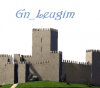
THZ wCornerTower of Castle Wall China LANDMARK. Menu Position:Landmark (bottom). Lot Size 3x3. Plop Cost: § 27,000 \ Bulldoze Cost: § 300. Maintenance Cost: § 3/month . Landmark Effect: +15 over 15 tiles. Park Effect: +15 over 15 tiles. Mayor Rating Effect: +5 over 256 tiles. Flammability: 5 / Stage 5 . Power consumed:2 MWh/month. Garbage generated:2 tons/month . Dependency: prop (bush and hedge) used.please download: BSC Mega Props D66 Vol01 2006/10/17. upload version 1 2006/X/X. ------update: No----------- Model by Thianz. BGTCN(BAT Group of Tiandu China) presents. Edit: updated dependency links 27.08.2018 by Tyberius06 -
Version 1.0
5,462 Downloads
125 London Wall This functional landmark lot is an update of Frogface’s original lot. All the credit for this great BAT creation goes to him and is released with his permission (of course). I created this lot to add jobs to the landmark version. Office buildings without jobs seem such a waste. Note: The zip file includes only the functional landmark lot. You will need to download the original release for the essential.dat file. Lot Information: Transit Capacity raised to 5,000. Jobs: 537 CO$$$ Plop Cost: $100 (Cities don’t build commercial buildings, developers / investors do). Thanks go to Frogface for creating this nice office building and for giving permission to release this functional landmark version. I hope he makes more buildings like this in the future. JayStimson Staff Edit: Added description and dependency link