

 Supported

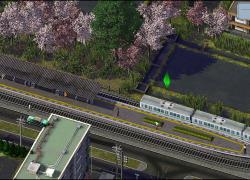

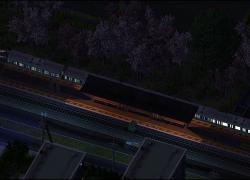
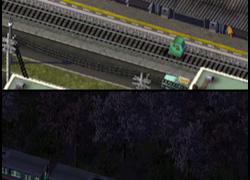

About This File
This is a pack of Japanese Transportation buildings. It includes the former
- Japanese Transport Pack vol01
- EBLT Art128 JR Mitaki Station (it has a separate readme file in the ~Documents folder, please read it with care)
It includes the following stations. For detailed STATs please read the attached readme file. All the transportation lots have been updated to follow the most up to date NAM/MTA modding practices and standards.
- Muroran Train station
- Sakamoto Train station
- JR Mitaki Station (it has a separate readme file in the ~Documents folder, please read it with care)
- Small overpass
- Small Odate Noshiro Airport Terminal
- Small Odate Noshiro ATCT
The stations are obviously in the Rail menu. There are two different lot for the Muroran and Sakamoto stations; an electrified one and a non electrified one. They're Transit enabled on the last tile only because I didn't want to bother with custom pathing. They should work correctly as train station as they were tested in two different plugin setup.
INSTALLATION:
Attention!
The JR Mitaki Station by default comes with the JR Mitaki Station RRW-RHD path file.dat file (for Right hand driving and Real Railway support), what you can find in the folder with the LOT and model files.
If your personal settings are neither RRW and/or not RHD, you can find the appropriate version in the ~Documentsart128_Readmes_alternative JR Mitaki Station Path Files (Maxis RHD-LHD and RRW-LHD)
Simply replace the file with the one what you wish to use.
Files are as follow:
Right hand driving Maxis Rail: JR Mitaki Station MAXIS-RHD path file.dat
Left hand driving Maxis Rail: JR Mitaki Station MAXIS-LHD path file.dat
Left hand driving Real Railway (RRW): JR Mitaki Station RRW-LHD path file.dat
All files have been updated so it is highly recommended to use any of the third party cleanitol tools and remove any previous versions from your plugins.
Optionally in the ~Documents folder in the main ZIP you can find a collective/master and by using either the newer nos.17's SC4 Cleanitol or the older BSC Cleanitol tool you can search and remove old and outdated versions of these files.
DEPENDENCIES:
- Catenary Essentials by Plundere
- Rail Catenary Mod V3 HD by Plundere (Only Catenary_Prop_exemplar_for_rail.dat)
- JENX-Porkie Expanded Porkie Props
-
Neko Props Vol 2
Direct Link - http://hide-inoki.com/bbs/archives/files/1392.zip - Uki rail catenaries props by Uki-sim (only the models)
- SFBT Props Kenworth and royal Railway Props
-
ML JPN El-Rail MOD 2013 (z ML JPN ELR T21 Fence Prop.dat - It used to be part of the NAM El Rail Alternate Implementation up until NAM v36)**
**It is included as currently MoonLinght OneDrive folder is not accessible. - WMP Mega Texture Pack***
-
SC4D LEX Legacy Ultimate Airport Pack
- AC Mega Props vol09
What's New 2.0 View Changelog
Released
The former JR Mitaki Station has been rebranded to Art128 - Japanese Transports Pack v2 and now contains the followings:
- Japanese Transport Pack vol01
- EBLT Art128 JR Mitaki Station (it has a separate readme file in the ~Documents folder, please read it with care)
All the transportation lots have been updated to follow the most up to date NAM/MTA modding practices and standards.
Submenu support has been provided for the rail station related lots.
-
 6
6
-
 3
3





Recommended Comments
Sign In or register to comment...
To comment in reply, you must be a community member
Sign In
Already have an account? Sign in here.
Sign In NowCreate an Account
Sign up to join our friendly community. It's easy!
Register a New Account