

 Supported

About This File
Short description:
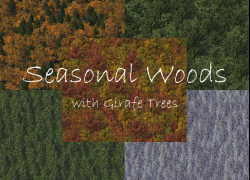
This plugin contains 24 lots with seasonally changing woods, based on the seasonally changing trees by girafe. Like other lots, they can be found in the park menu. Plop and demolition cost are kept low, and they don’t charge monthly costs. They have a low park effect and slightly reduce air and water pollution. I’ve furthermore tried to create tree combinations corresponding to the most common forest combination in central Europe.
Since I’m using prop families, there shouldn’t be any repetitive tree patterns in the trees. There are 3 lot sizes; 1x1 can be used in any small gap in your city, 4x1 can be used for long gaps (such as between farm fields) and with the 4x4 lot, you should be able to fill even a large space with trees pretty fast. All lots don’t have any base texture and can therefore be combined with any terrain mod. They don’t trigger the infamous transparent textures bug.
For further information and more screenshots, please refer to the readme file in the download.
Dependencies:
BSC – VIP Girafe Trees: These links contain all of the trees required for these woods and introduce MMP trees for your mayor mode menu. You need to download every kind of tree separately; fortunately, installation is easy and you won’t end up with a game menu stuffed with buttons that you won’t need anymore.
https://www.sc4evermore.com/index.php/downloads/download/27-sc4d-LEX-legacy-bsc-vip-girafe-floraNote: To make the MMP trees being displayed properly, you need to download Seasonal Flora Patch. It is highly recommended, albeit not mandatory for the Seasonal Woods set.
Note: You must be registered at sc4devotion.com to download the dependencies mentioned above.
Stonehenge: Made by Maxis. Required for the rocks in the woods. Adds the Celtic landmark to the game. Please download it manually from this part of the STEX (it is part of the Maxis Landmark Buildings Bundle): https://community.simtropolis.com/sc4-maxis-files/
Currently available languages:
- English
- German
Installation:
Download the archive corresponding to the language you want. Extract all files to a folder where you will find them. Move or copy this folder into your Plugins sub-folder of your edition of SimCity 4 (for instance: C:/Programs/Maxis/SimCity 4/Plugins). You can simply overwrite any previous version of this plugin with the new files.
To uninstall, please delete all files from your plugin subfolder.
If there are some lots that you won’t use, you may want to open the plugin folder and delete the corresponding files (every lot has its own file).
Note, if you have already been using Version 1: I've reduced the number of trees in the subsequently mentioned forests: Chestnut, Conifer Evergreen, and Conifer Seasonal. You don't need to bulldoze all of these forests before installing any version higher than 1. However, to reflect the changes in game, you need to bulldoze the forests and build them again.
This plugin comes in several languages. Please look into the folder “Languages“ and manually delete all files except the one with the language you want to have displayed as game text (e.g. for English: GSW_Description_English).
Compatibility:
This plugin should be compatible with all versions of SimCity 4. If not, please write me a comment so I can change this note.
Credits:
Girafe for the trees that are making this plugin possible in the first place, and for the permission to duplicate and regroup the props.
Support:
Please feel free to post issues, bug reports, and suggestions in this thread:
What's New 3 View Changelog
Released
- Added 4x1 lot size for all kinds of forests
-
 5
5





