

 Supported


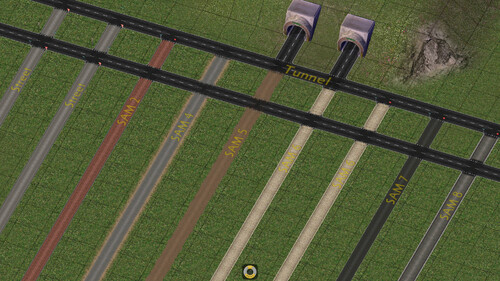

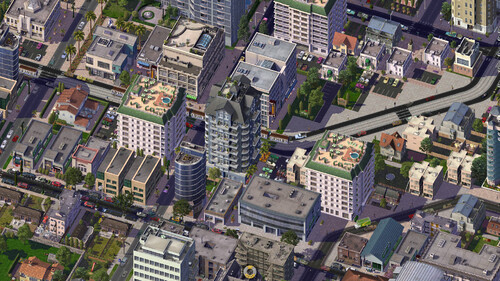


About This File

SENT - Swiss & European Network Textures
This mod aims to convert the textures of the base game's road networks and those of the NAM into new, more detailed ones with an aesthetic closer to what is done in Europe and Switzerland.
To do this, the textures were created with 4 variants :
• RHD/White - Driving on the right with white pedestrian crossing
• LHD/White - Driving on the left with white pedestrian crossing
• RHD/Yellow - Driving on the right with yellow pedestrian crossing
• LHD/Yellow - Driving on the left with yellow pedestrian crossing
SENT currently covers 3 different networks :
• One-way road, 1-lane / OWR1 (NAM)
• One-way road, 2-lane / OWR2 (Maxis)
• Road / RD2 (Maxis)
The textures were designed with a European feel, but also for audiences beyond the Old Continent. For example, the LHD/Yellow variation is more suited to Hong Kong, while LHD/White might be suitable for Great Britain as well as some Asian countries. While RHD/Yellow and RHD/White are more suited to Switzerland and Europe, respectively.
Please be sure to read the entire "Read me" file that is distributed in the SENT mod installer. This will enable you to install the mod correctly.
Compatibility
SENT is in principle compatible with all versions of the SimCity 4 game (Vanilla, Rush Hour and Deluxe) as well as all media (CD or digital).
Dependencies
Obligatory
• STEX - NAM Team - Network Addon Mod (NAM)
Obligatory - T21
• STEX - Barroco Hispano - AGC - Automobile DLC
• STEX - Barroco Hispano - AGC - Casual Sims DLC
• STEX - Barroco Hispano - AGC - Environment DLC
• STEX - Barroco Hispano - AGC - Industry, Energy & Telecom DLC
• STEX - Barroco Hispano - AGC - Streets DLC
• TSC - Citymax - Prop pack panneaux routiers
• SC4E - Girafe - BSC VIP Girafe Flora Pack Version 4
• STEX - Girafe - BSC-VIP Girafe Urbanpack vol01
• STEX - VIP Team - BSC-VIP Girafe Carpack vol03 v2
• STEX - VIP Team - VIP Girafe-Vnaoned CarPack Vol01-Vol02 v2
Optional - Compatibility with third-party replacement texture mods
• STEX - SAM 2 - rivit - SAM2 Override - Grey HerringboneBrick
• STEX - SAM 4 - rivit - SAM4 Override - NZ Gravel
• STEX - SAM 5 - rivit - SAM5 Override - Rural Tarseal
• STEX - SAM 6 - hugues aroux - WestWindStreets SAM 6 - Detroit
• STEX - SAM 6 - rsc204 - MGB - SAM6 Darkened Mod
• STEX - SAM 7 - rsc204 - Cataylst's SAM7 Bikepaths Mod
• STEX - SAM 8 - hugues aroux - WestWindStreets SAM 8 - Firenze
• STEX - Street - hugues aroux - WestWind Streets
• STEX - Street - rivit - Urban Tarsealed Street Modd
• STEX - Tunnel - rivit - Tunnel Modd
Installation
Installation
To avoid compatibility problems as much as possible, the first thing to do is delete the SENT mod from your plugins folder if you have an older version. Be sure to keep your dependencies up to date.
SENT installation requires Java Runtime Environment (JRE). This is included in the SENT installer download for Windows 64-bit (OpenJDK21U-jre_x64_windows_hotspot_21.0.7_6).
If you're not using 64-bit Windows and need Java, the open-source Adoptium edition is recommended at https://adoptium.net/temurin/releases/, although the JRE and JDK can also be obtained in proprietary/commercial (but free) form from Oracle at https://www.java.com/fr/. The Java Development Kit, or JDK, also works, but it contains additional files that you don't need unless you're a Java developer.
Loading order
For the SENT to work properly, the mod must be read after the obligatory and optional dependencies, if any.
The reason for this is that when SimCity 4 launches, it loads all the files in your « Plugins » folder and reads them in alphabetical order. However, if you have two different textures in your files using the same identifier (instance), it will load the last one to be read. Therefore, if you want the SENT to replace your game's textures, it must be read after the dependencies listed above.
If necessary, to ensure that the SENT is read last, you can change the mod's folder name, as in this example: « z_SENT », or add more « z » characters.
Note that some textures may not update in your city; in this case, simply return to the same network as the one you built and click on them. If you no longer wish to use SENT, then simply delete the SENT folder.
Note
Visit the SENT - Support & Development page for more information about the mod, to follow the latest news, ask questions, or for any other requests.
What's New 2.1 View Changelog
Released
Add :
• Bridge RD2-GLR TiR - Pont Notre-Dame
• Two new variants in addition to the existing ones : parking bay without markings, and parking without a bay
• One new variant road markings for bus & metro stations in addition to existing ones: Taiwan
• Four level crossing textures for RD2 and OWR2
Modification :
• One installer per SENT variant type (RHD, White / RHD, Yellow / LHD, White / LHD, Yellow), for more simplicity when installing the mod
-
 25
25
-
 2
2





Recommended Comments
Sign In or register to comment...
To comment in reply, you must be a community member
Sign In
Already have an account? Sign in here.
Sign In NowCreate an Account
Sign up to join our friendly community. It's easy!
Register a New Account