

Jump to content

A_1P Wind Industry Port Pack-1.1  1.1

   (3 Reviews)

3 Screenshots

About This File

Okay everyone I am trying it, here is the first content I created. These are port-lots with parts for offshore wind turbines awaiting shipping to the site.

Here is some inspiration of what you can build with it (the blade factory in the left of the screenshot is created by Simmer2):Inspiration-Wind-Industry-soft.png
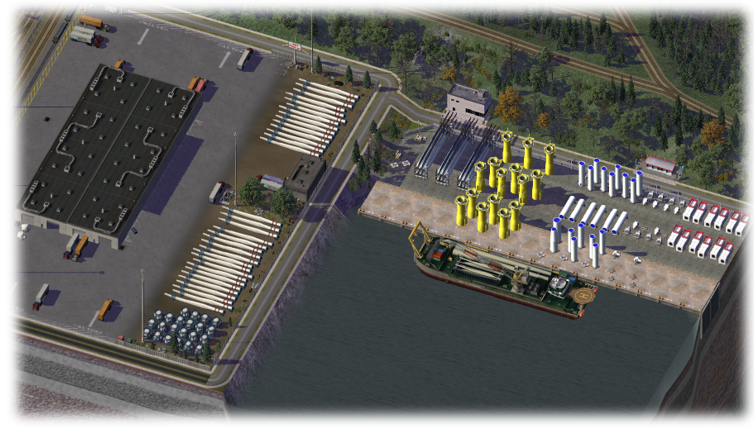
This File contains several props and 9 lots:
A_1P_SP_Dock_1x6_RotorBlades
A_1P_SP_Dock_1x6-Hubs
A_1P_SP_Dock_1x6-Nacelles
A_1P_SP_Dock_1x6-TransitionPieces
A_1P_SP_Dock_1x6-Towers & A_1P_SP_Dock_1x6-Towers2
A_1P_SP_Dock_1x6-WindIndustry_1x5-TransitionL
A_1P_SP_Dock_1x6-WindIndustry_1x5-TransitionR
A_1P_SP_Dock_1x6-WindIndustryFiller

The lots are using the PEG CDK3 Sea Port Waterfront - Style. At this post other lots are listed that go well together with the WindIndustry Port lots.

Dependencies
PEG-CDK3-SP_SEAPORT_SUPER-PAK.dat
PEG_ChainLinkFence_RESOURCE.dat

Thanks to the simtropolis and sc4devotion community especially Tyberius06, Simmer2 and mattb325 for support and advice. Additionally, I thank the Heretic Seaport Project team, for providing the base lots and UI design.

Any feedback is greatly appreciated and I might do a v1.1 if I have some responses. My next project might be a heavy lift terminal to load the components or a jackup vessel for turbine installation.
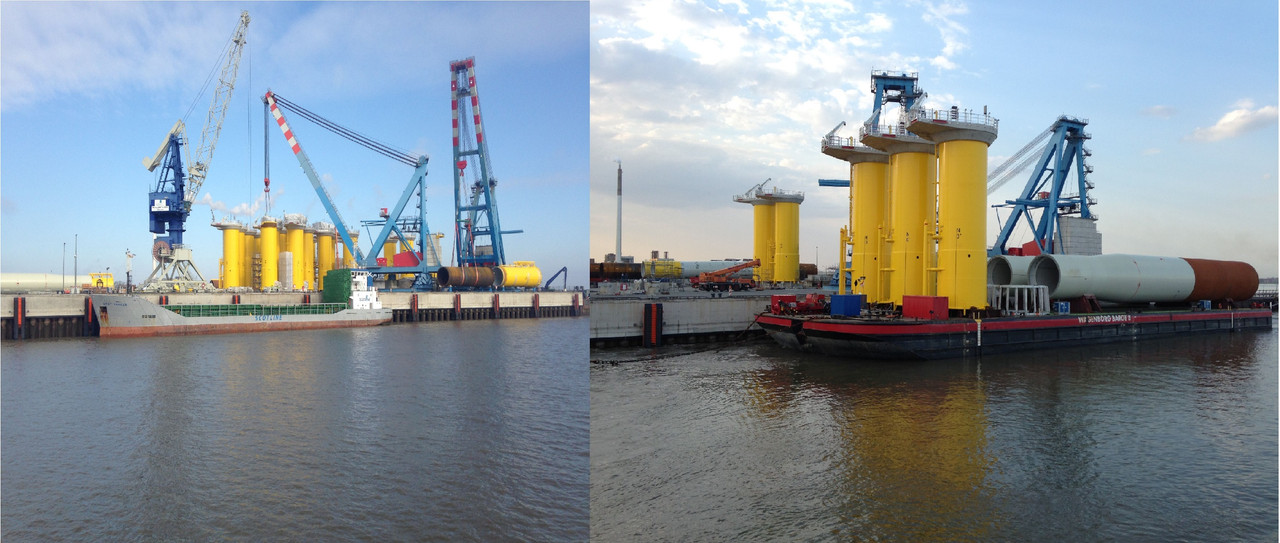
BHV-offshoreterminal-TP.jpg

Offshore Project.jpg


What's New 1.1   View Changelog


Released

Version History
V1.1:
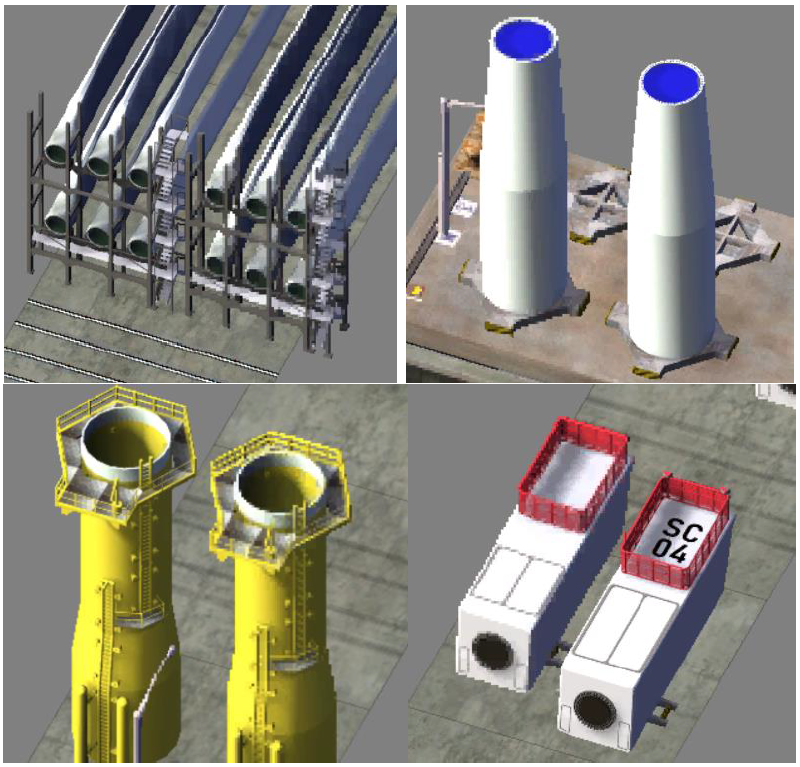
All props have been re-rendered in HD and the pack now contains 2 files:
• A_1P_WindIndustryPort Pack 1.1_Lots.dat
• A_1P_WindIndustryPort Pack 1.1_Props.dat
If you used v 1.0 you will have to delete the lots in your cities (before or after installing this pack does not matter) and rebuild them unfortunately, sorry for that.HD-Remake-4.png
  • Like 16
  • Thanks 5


User Feedback

Recommended Comments

Just a quick question, what menu are they lots located in? I have a large plugin folder and didn't see them in the power or LM menu and its easy to get distracted while looking.

Taking a second look, I'm going to guess the seaport menu now!


  Edited by Kloudkicker  

Share this comment


Link to comment
Share on other sites

Seaports menu is absolutely right! I will add that to the description, thanks for the feedback!

I am using DAMN Manager to remove some of my content from the game menu to my own menus, would that maybe help you too? (you can configure your won menu structure and then use the message box in the game to navigate your files)

2021-01-07 08_39_52-Settings.png

SNM Navy pier set.png

  • Like 1
  • Confused 1

Share this comment


Link to comment
Share on other sites

Cool, thanks. Been busy, I still haven't got a chance to find them yet. That DAMN Manager looks interesting. I'm not sure if I am wanting to learn a new program. Been so use to the original way. Plus I'm not sure how it would go with almost 5 gigs of plugins. Half is organized and half is a little messy. Maybe to late for me! *:D But I will look into it more and see. Thanks for the info. I try and leave a review as soon as I can. Looks really nice.

Share this comment


Link to comment
Share on other sites

Yeah, i totally understand.  It took me a few moments to get it, but in the end it is pretty straight forward...

A big plus is that you can pick what you want to organize, things you don't touch remain in the menus you are used to. (my Plugin folder is only 3 GB tho). Good luck if you wannt to try it some day!

5 minutes ago, AP said:

Seaports menue is absolutely right! I will add that to the description, thanks for the feedback!

I am using DAMN Manager to remove some of my content from the game menue to my own menues, would that maybe help you too? (you can configure your won menu structure and then use the message box in the game to navigate your files)

2021-01-07 08_39_52-Settings.png

SNM Navy pier set.png


  • Like 1

Share this comment


Link to comment
Share on other sites

Had a chance to test the lots out and decided to test play with some of PEG's other port lots and fillers also. Made this test area for fun. I really like the Wind Industry Port Pack .TurbinePort.jpg.6e24d6f567eaa6b875c2816638e1952e.jpg


  Edited by Kloudkicker  
  • Like 4

Share this comment


Link to comment
Share on other sites

I am glad someone is using this! Right now I working on the heavy lift terminal, and a bigger lot that can go with the components, and make the scene a little more authentic. If you enjoy creating ports I really recomment this post of me listing waterfront styles and lots that can be used together.

Here is some inspieration for a navy, oil, and garbage port I created:

20201223113145-1.jpg

20201223113253-1.jpg

  • Like 4

Share this comment


Link to comment
Share on other sites

Sign In or register to comment...

To comment in reply, you must be a community member

Sign In  

Already have an account? Sign in here.

Sign In Now

Create an Account  

Sign up to join our friendly community. It's easy!  

Register a New Account

×

Thank You for the Continued Support!

Simtropolis depends on donations to fund site maintenance costs.
Without your support, we just would not be in our 24th year online!  You really help make this a great community. *:thumb:

But we still need your support to stay online. If you're able to, please consider a donation to help us stay up and running. This helps sustain a platform where we can share our community creations for years to come.

Make a Donation, Get a Gift!

Expand your city with the best from the Simtropolis Exchange.
Make a Donation and get one or all three discs today!

STEX Collections

By way of a "Thank You" gift, we'd like to send you our STEX Collector's DVD. It's some of the best buildings, lots, maps and mods collected for you over the years. Check out the STEX Collections for more info.

Each donation helps keep Simtropolis online, open and free!

Thank you for reading and enjoy the site!

More About STEX Collections
