

 Supported



About This File

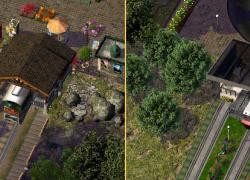
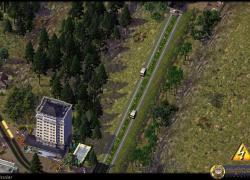
A funicular, also known as an inclined plane or cliff railway, is a cable railway in which a cable attached to tram-like vehicles on rails moves them up and down a steep slope.
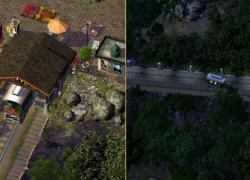
There are two complete sets - the urban version comes with modern cabins on a twin track and a sleek concrete and glass station. The second set is a more rural version with a nostalgic open cabin on a single centered track and a stone and wood station to blend nicely into rural settings. All stations and cabins are custom BATs by Shokthrpy.
They come in separate folders - you can use both at the same time or choose just one of the two. Remove the other to a safe location.
LIST OF ITEMS
1x1 Funicular Stations (subway type)
1x1 Tracks
1x1 Cabins (various lots, timed and untimed version)
1x1 Top and bottom Cabins (various lots, timed)
DEPENDENCIES
* SG 01 Megapack (urban version)
* PEG-MTP SUPER PACK (rural version)
DEVELOPER NOTES
The station acts like a subway - plop one on each end of the track and connect them with subway tubes. You can try terraforming for a gentle slope, but it is advised to flatten the terrain for the station - plop a road tile, bulldoze it, then plop the station.
There are two types of cabin lots - timed and untimed. You can safely delete the version you do not wish to use.
The 'top' and 'bottom' cabins should be plopped right next to the station to simulate an 'In-Station-Cabin'. The 'upper' and 'lower' lots should be placed accordingly on the slope to simulate the up-down moevement of the cabin.
All Lots must always be plopped with the directional arrow pointing DOWNHILL.
When plopping timed lots, allow some time to pass until all items show in their proper rhythm.
All costs and usage details can be found in the in-game menu.
You find all items at or near the end of the 'Transportation | Miscellaneous' menu with custom icons.
INSTALLATION
After unpacking, just move the complete folder into your 'My Documents/Plugins'. To uninstall, remove the complete folder.
CREDITS
BATting: Shokthrpy
Lotting & Modding: Paeng
SUPPORT
Should you need support for these items please visit the
Enjoy!
-
 8
8
-
 2
2


