Supported


About This File
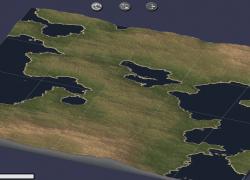
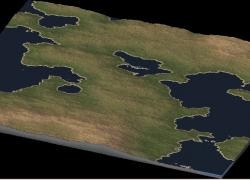
Passepartout - Region Map (fantasy)
This .zip file contains all you will need to render this map. No external tools are needed, only SimCity 4.
The principal files in this distribution are the gray-scale map: Passepartout.jpg and the layout file config.bmp. The remaining files are documentation (images of the region in various formats).
Rendering:
To render this map, unpack the .zip file into your c:\<you>\Documents\SimCity 4\Regions\Passpartout folder
(you have to create this folder).
Next, open the game and move to the Passepartout region.
Press CTRL+ALT+SHIFT+r
A dialogue box appears. In this dialogue navigate to the Passpartout Region folder then
Select the file Passpartout.jpg by left clicking your mouse on the icon to the left of the name.
Make sure the name is now in the file box, and press OK.
The render will start and MAY NOT BE INTERRUPTED. Your machine is locked for all intents and purposes until the render finishes. No switching away or the render will fail. This could take up to an hour on old machines.
Enjoy.
What's New 1.0
Released
- V 1.0 - Newly generated by Landscape Designer