

 Supported

About This File
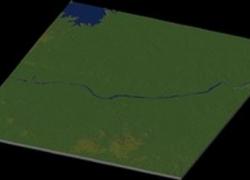
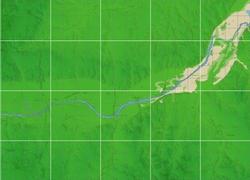
Oklahoma City By blade2k5 & Heblem
Map Details and Information
Oklahoma City is the capital and largest city of the U.S. state of Oklahoma. The county seat of Oklahoma County, the city ranks 31st among United States cities in population. The city's estimated population as of 2008 was 551,789, with an estimated metro-area population of 1,206,142. In 2008, the Oklahoma City-Shawnee Combined Statistical Area had a population of 1,275,758 residents.
Besides the core Oklahoma County, Oklahoma City's city limits extend into Canadian, Cleveland, and Pottawatomie counties, though much of those areas are rural or suburban. The city ranks as the seventh-largest city in the United States by land area which includes consolidated city-counties; it is the largest city in the United States by land area whose government is not consolidated with that of a county (or, in the case of Alaska, a borough). The city is the largest city and metro area in population of the traditional 'plains states' as well as the South Central United States outside of Texas.
Oklahoma City is an important livestock market, featuring one of the top livestock markets in the world. Oil, Natural Gas, and Petroleum products are a major product of the economy, as the city is situated in the middle of an oil field, with oil derricks even on the capitol grounds. Several prominent Energy companies are headquartered in Oklahoma City. The city has varied light and heavy industries, Tinker Air Force Base and the Federal Government are also vital sources of employment.
Map Specifics
Map Type: Real World
Region map size: Map is configured for 30 large city tiles and is 5x6 in size.
config.bmp: included with zip file
Dependencies: Either SC4 Mapper or SC4 Terraformer for importing.
Maps were created by taking 1/3 Arc USGS DEM elevation data.
To install SC4M map file:
SC4Mapper
1. Unzip this file.
2. Run SC4Mapper, click on 'create region'
3. Choose SC4M
4. Browse to the unzipped folder and point the map file .SC4M
5. Click on 'Save Region' and name it, and Quit SC4Mapper
6. Run SC4 and load the new region. The colors of the region in SC4 will be the same colors as SC4Mapper until you enter and save each city tile. But you have the choice to do it as you go and not right away.
SC4Terraformer
1. Create a new region folder in your Plugins\Region
2. Copy my config.bmp into the folder and overwrite the old one. (make changes to config.bmp file now if you want)
3. Open the new region you just created with SC4 Terraformer
4. Click on Import Image in the Global Tools Menu and browse for my SC4M file.
5. When file is imported click File - Save (the region is now saved to SC4
6. The colors of the region in SC4 will be the same colors as SC4TF until you enter and save each city tile. But you have the choice to do it as you go and not right away.
Start opening tiles!
Credits
blade2k5 - Original map creation, scaling, importing. SC4TF modification.
Heblem - Original map creation, scaling, importing. SC4TF modification.
Check out NHPs Map Catalog forum here.
Check out more maps by blade2k5 and NHP
Any comments and feedback welcomed. Thanks for looking and enjoy.


