




Pictures in Banished using the Zoom Hack
The Banished community use a program called Cheat Engine to take ground level pictures its know as the Zoom Hack (tutorial instructions and pictures were made or taken by Paeng).
Before I get into the tutorial provided by Paeng, this is a normal picture (taken by Paeng) using the inbuilt camera in Banished

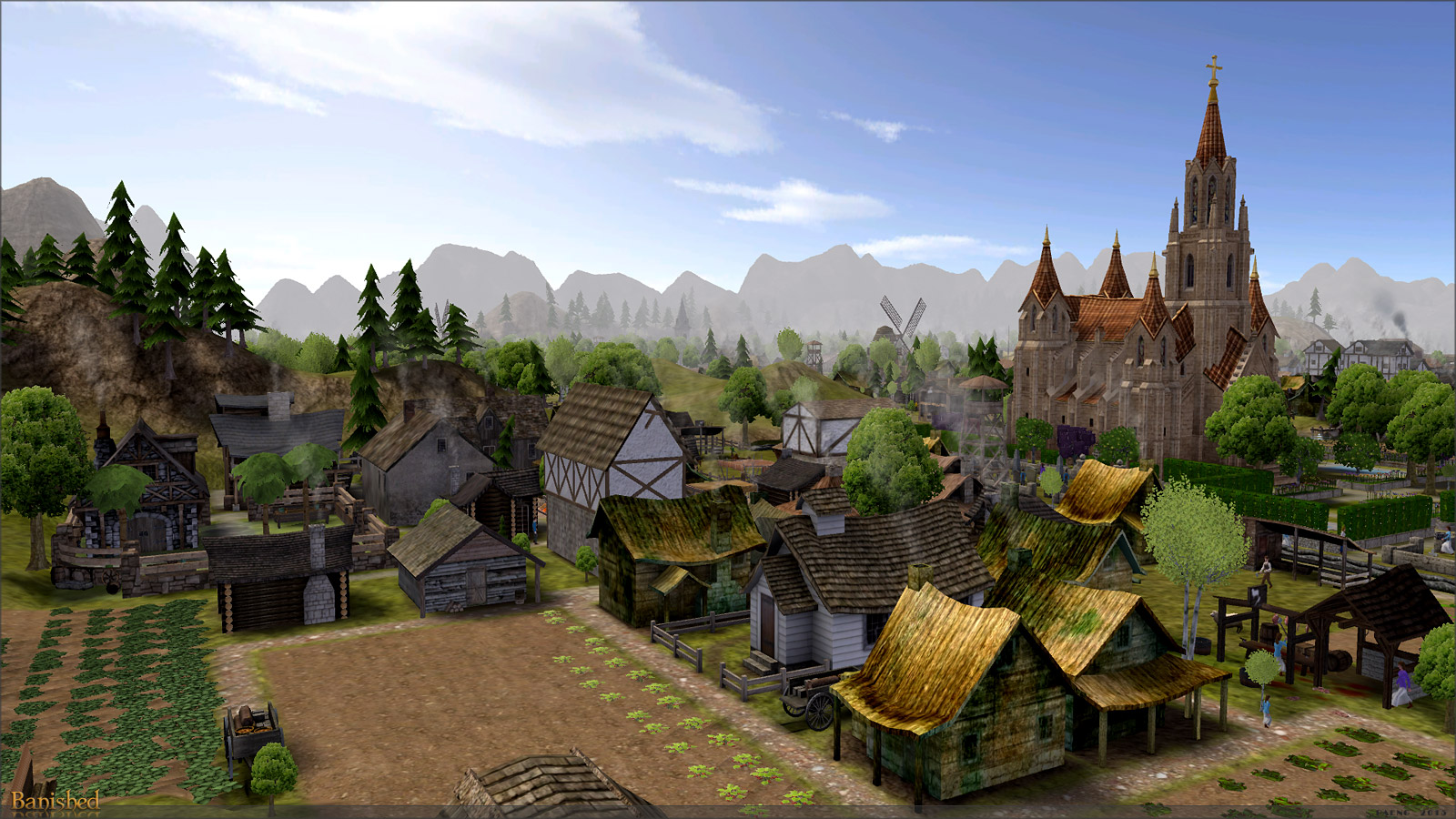
and this picture (taken by Paeng) has been done using the Zoom Hack

Any Banished picture that's got weird grey flat hills in the background has been made using the Cheat Engine program.
QuoteZoom Hack Tutorial by Paeng
First, download and install the latest Cheat Engine
http://www.cheatengine.org/
Start Banished: I'd recommend you set it temporarily to windowed mode for easy switching between applications.
Load your desired SaveGame, then minimize Banished.
Start the CheatEngine: "Open" (1) the Banished process from the "Process List" (2).

Switch to Banished: Zoom IN to the maximum, then minimize the Banished window.
Switch to CheatEngine: Choose "ValueType: Float" (3), set "Value: 20" (4), click "First Scan" (5).

Switch to Banished: Zoom OUT to the maximum, then minimize the Banished window.
Switch to CheatEngine: Set "Value 130" (6), click "Next Scan" (7).

In the left pane it now shows a (hexadecimal) "Address" (8).
Double-click it to be added to the list at the bottom pane (9).

Select it (9) and hit F6. Accept "Yes" (10) to open the "Opcodes" list.

Switch to Banished: Zoom IN to the maximum, zoom OUT to the maximum, then minimize the Banished window.
Switch to CheatEngine: There are now three variables in the Opcode window.
Ignore the first one (here shown red for emphasis). Right-click the second variable (12) and select "Replace with the code that does nothing (NOP)" (13). Accept with 'Ok' (14).

Repeat this with the third variable (15).

You can now close CheatEngine and use the hack in Banished. Note that your world may look "upside down" at first - just scroll up, up, up until the image kinda flips over and you have entered the extreme zoom modus. Set your game back to FullScreen mode if desired. The "Effect" will last until you close this Banished session.
One more picture taken by Paeng showing the weird grey flat hills, also please note this tutorial has been checked by Simtropolis Staff and given the Banished community only uses the Cheat Engine to take pictures its been given the 
Addendum
Paeng's instructions recommend downloading the latest Cheat Engine which is currently version 7.0, but and this may because I'm using a Linux Mint OS and running Banished and Cheat Engine via Crossover I have major problems getting this to work .... 9 times out of 10 it doesn't, so I have gone back to the previous version of Cheat Engine which is version 6.7 and so far haven't had any problems using it as you can see from these pictures taken in my Linntown CJ, have also found its possible to save the settings so you don't have to re-set the zoom hack settings each time you use it.


-
 1
1


0 Comments
Recommended Comments
There are no comments to display.
Sign In or register to comment...
To comment in reply, you must be a community member
Sign In
Already have an account? Sign in here.
Sign In NowCreate an Account
Sign up to join our friendly community. It's easy!
Register a New Account