


Reconstruction: January 04, 2010

I don't intend the following as a tutorial, but hopefully the mentioned strategies can be adapted if you are interested in recreating a real world place, by hand.
Google Earth is the workhorse of figuring out where things belong in the region. The island of O'ahu is about 65km x 51km, and therefore, the region in the game requires 17 large city tiles in the east-west axis and 13 large city tiles in the north-south axis.
Google Earth has a grid, but unfortunately, its lines are in degrees/minutes/seconds. The Google Earth grid is therefore only helpful as a stationary reference to start and end measurement lines. The ruler tool and the elevation value are absolutely essential to transfer the information from Google into the game.
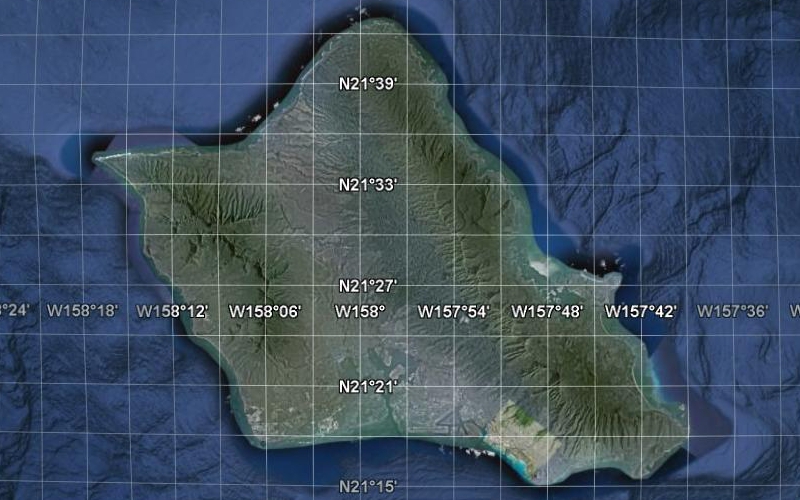
SimCity uses a compass grid, so naturally, an area in real life that is aligned with the compass is much easier to do. However, there are very few things on O'ahu that are that way. The fundamental rule of thumb for development in Hawai'i is the concept of mauka (toward the mountains) and makai (toward the ocean). The Native Hawaiians devised an ingenious land use system where a large valley (or group of valleys), from the mountain tops to the ocean, is a self-sufficient community called an ahupua'a.
Fastforward to today, many neighborhoods are situated in the traditional ahupua'a areas, and these neighborhoods keep the indigenous names. Additionally, along the southern coast of O'ahu, the concept of 'Ewa (generally, west), and Koko Head or Diamond Head (generally, east) is used to indicate the perpendicular axis compliment of mauka-makai. Here is a sign at the University of Hawai'i at Manoa that demonstrates the directions.
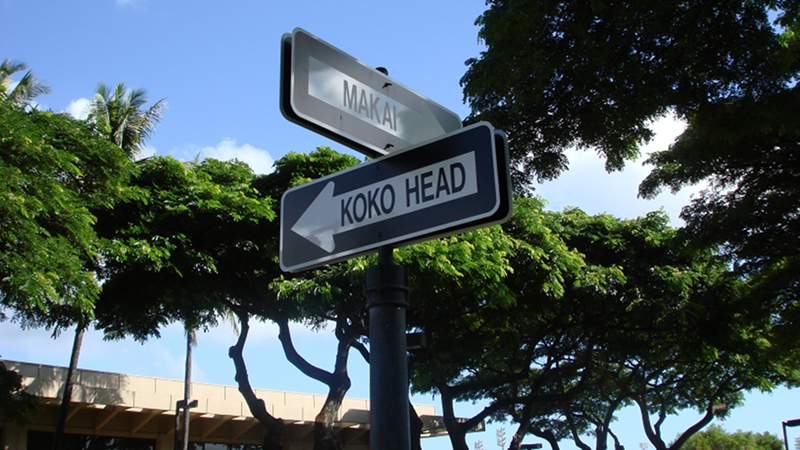
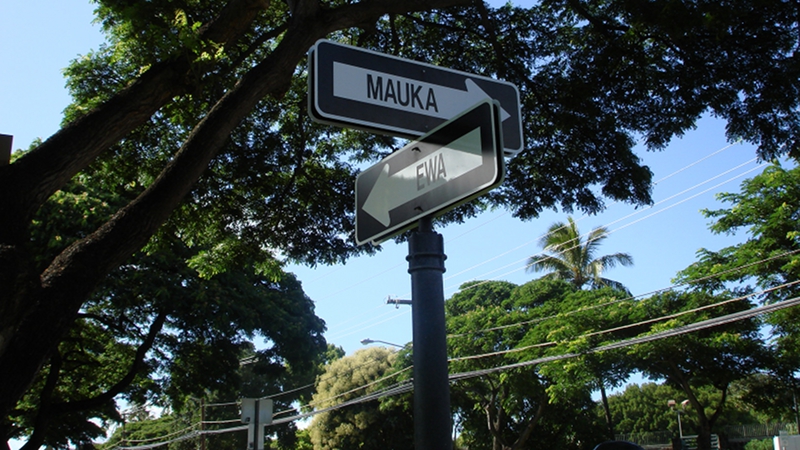
The mauka-makai and 'Ewa-Koko Head concepts are why both developmment and the roadway system are going to be very difficult to replicate. I'll likely simplify things on the small scale, but try to keep the large scale look quite accurate.
The largest area on the island that is aligned to the compass grid is the Honolulu International Airport runways.
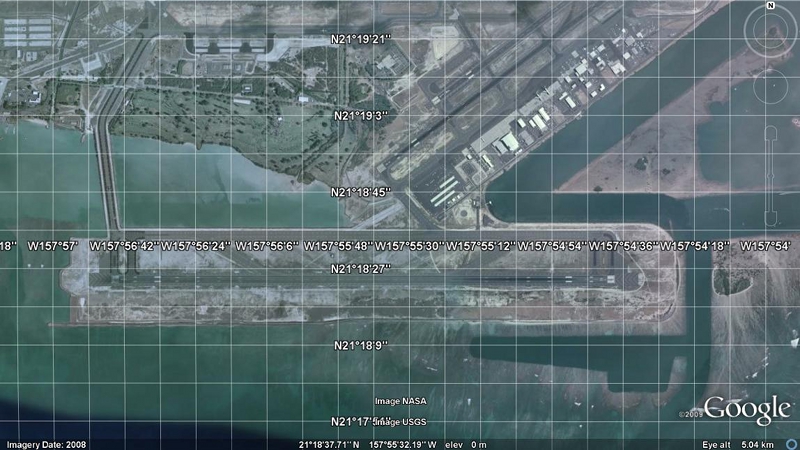
My strategy is to pick an easy reference point (on the Google Earth grid), and then measure the distance to another easy reference point (another grid line, a building, or a roadway). It is important to only take orthogonal distances (north-south or east-west). I often move the map so that one reference point is on the border of the window. The elevations of the reference points are also noted. Let's take the Reef Runway as an example. This breakwater wall that sticks out is an area of interest.
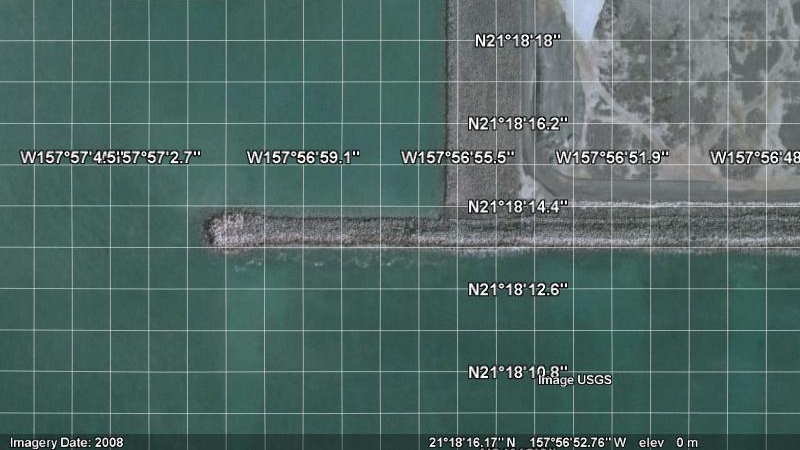
Using the Google Earth ruler, the breakwater wall is about 157m x 18m. A single cell in the game is 16m x 16m. So the breakwater wall takes up about 10 tiles x 1 tile in the game. The breakwater wall is essentially at an elevation of 0m (sea level), and that translates into the game as 250m. The terrainquery cheat code and the terraforming tools (god mode and mayor mode) are used to draw the target area into the desired shape and elevation. I use the road tool to measure the number of tiles quickly. Each road tile is $10. So, I measure $100 worth of single-tile, straight road for the breakwater wall.
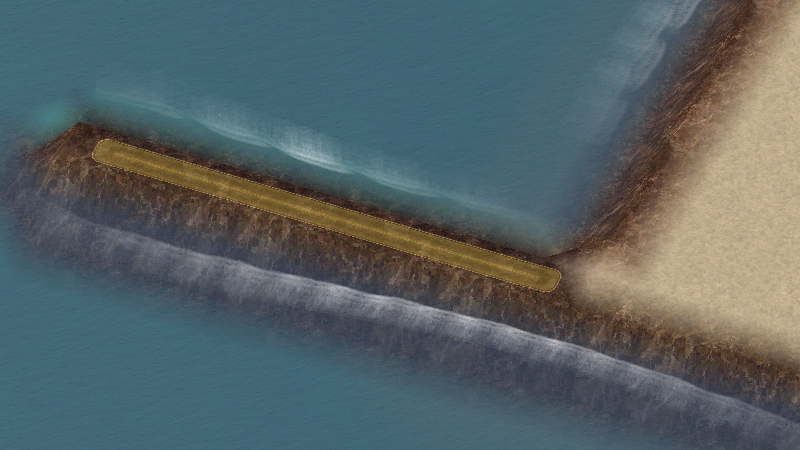
I repeat this process as necessary on the small scale (working with meters in mayor mode). I also use a similar strategy on the large scale (working with kilometers in god mode). In the kilometer scale, I use the fact that a large city tile is 4km x 4km. I eyeball fourths of a city tile and terraform that way. When I'm ready, I go back to the small scale and refine the terrain. The road tool and the Google Earth ruler can switch roles so that the road tool measures a distance to be used in Google Earth.
As for the problem of working between city tiles, it's necessary to pick reference points that match up with the borders between two city tiles. It's absolutely necessary to remember (or note) what you've done on one side of the border so you know what to do on the other city tile. The distance from the edge or corner is the way I do it. I don't use the reconcile tool often, as it often messes things up.
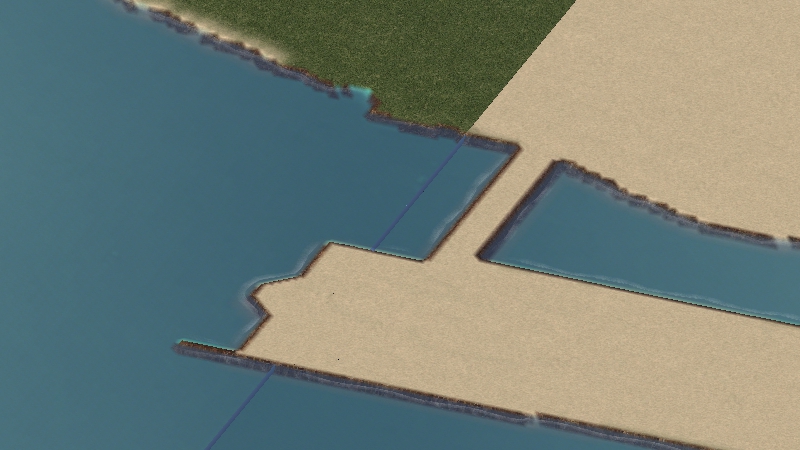
Next update, we'll go into terrain, textures and flora.


0 Comments
Recommended Comments
There are no comments to display.
Sign In or register to comment...
To comment in reply, you must be a community member
Sign In
Already have an account? Sign in here.
Sign In NowCreate an Account
Sign up to join our friendly community. It's easy!
Register a New Account